#1 The Phone Marriage
2. The window was created using LASSO TOOL. Then i used WARP TOOL to make it feel like surrealism.
2. STROKE was added to the outermost of the window to create 3D-effect.
3. The colour blue was chosen to show the sky outside of the church.
1. The iPhone 4 is a picture taken from the internet.
2. I edited the phone by using LASSO TOOL.
3. I changed the shape of the phone to fulfill the idea of Surrealism, i hold on CTRL + T to transform and right click to open up this window. I used WARP tool.
1. The picture of the wood is taken from the internet.
2. I drag the picture to the canvas and used the CLONE STAMP TOOL to stamp the wall of the church as well as the floor.
3. clone stamp tool was used so that it wont look square by just pasting it all over.
1. The stage carpet is not taken from any website.
It is created by GRADIENT TOOL with some BEVEL AND EMBOSS to change the texture.
2. The colour red was chosen for the stage to show love and affection in the church.
1. The cross is taken from the internet.
2. To create the 3D-effect, i have used WARP TOOL and added DROP SHADOW for the cross.
#FINAL ARTWORK

#2 The WineBottle Phone
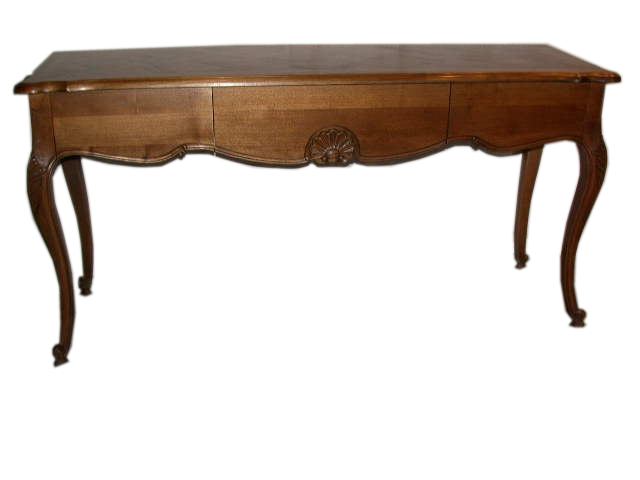
1. The image of the table was taken from the internet.
2. I hold on CTRL + T to transform, then right click to open up this window.
3. I used tools like SKEW, DISTORT, PERSPECTIVE & WARP to create the angle&size that i want so that it looks like it's leaning on the wall.
1. The vase was taken from the internet.
2. However, i changed the colour of the vase to slightly orange red using COLOR BALANCE to show warmth.
3. i also used WARP TOOL to change the shape of the vase.
1. The wall, floor and the mat was created using BEVEL AND EMBOSS, TEXTURE.
2. The colour like blue was used as the wall to show cleanliness and the yellowish floor is to show calmness.
3. Texture was added to the wall and the floor to create roughness so that it wont look plain.
1. The leaf was taken from the internet.
2. LASSO TOOL was used to cut the picture out.
3. The layer was duplicated by DUPLICATE LAYER, to show more leaves.
1. The image of the clock was taken from the internet.
2. I used tools like ROTATE,SKEW,DISTORT,PERSPECTIVE&WARP to create the angle that i want.
3. I used COLOR BALANCE to change the colour of the clock as well.
#FINAL ARTWORK

#3 The Phone Dispenser
1. All objects used the LASSO TOOL to cut the picture out and being dragged to the canvas.
1. I go to Image, Adjustment, Colour Balance to choose the colour for the water dispenser.
1. The Phone and the wall was created using the GRADIENT TOOL.
2. Blue was used as the water dispenser to show cleanliness.
1. The tiles of the floor was created by using TEXTURE and was edited using PERSPECTIVE tool.
2. All images are created using WARP TOOL.
#FINAL ARTWORK



.jpg)


